Do I need to be a designer to use it?
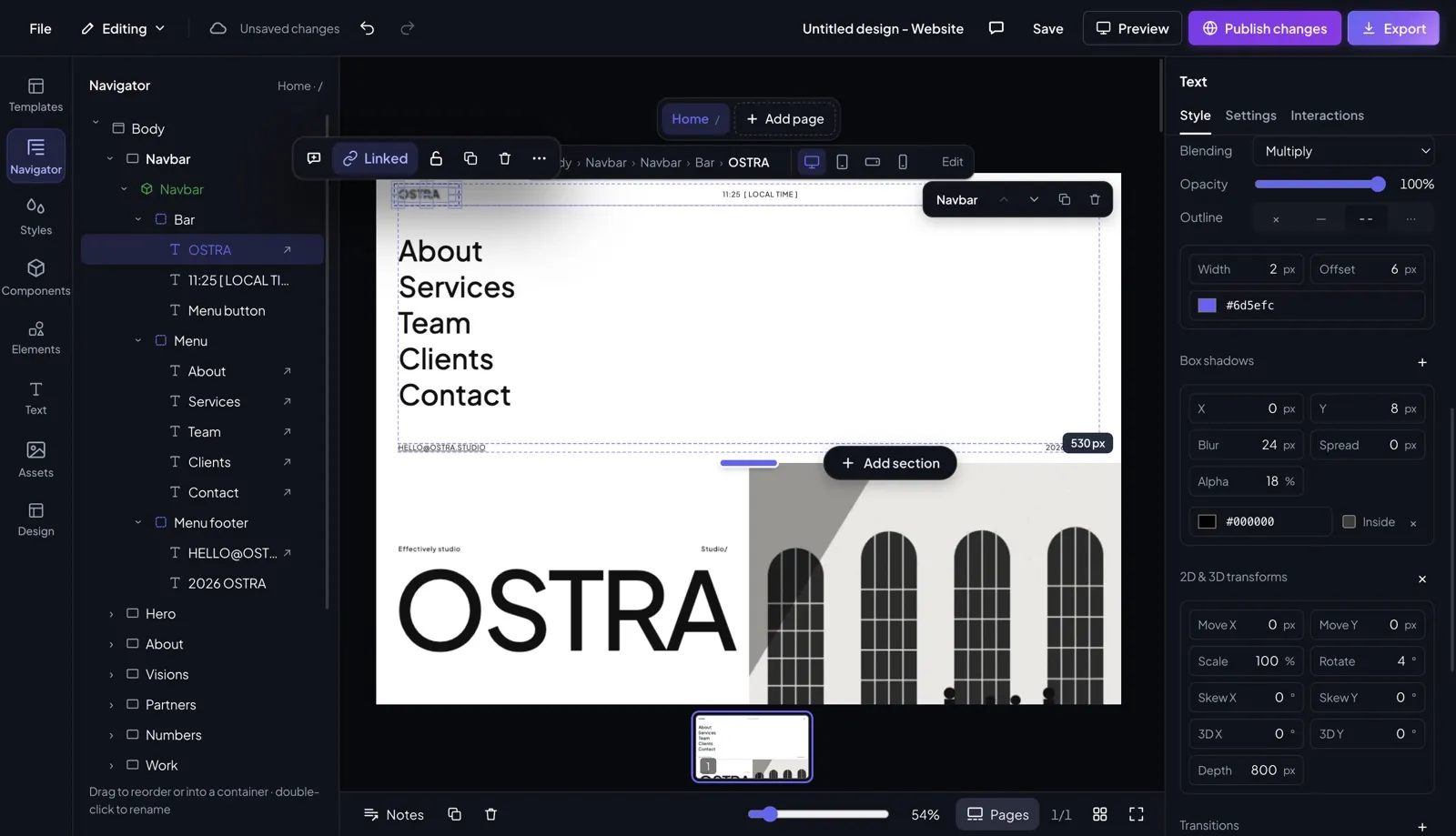
Not at all. Start from a template, click on what you want to change and type. Everything snaps into place, and you can undo any step.
Which computers does it run on?
Design Studio runs on Macs with Apple silicon (M1 or newer) using macOS 12 or later, and on PCs with Windows 10 or later. There's also a browser version if you'd rather not install anything.
Does it work without an internet connection?
Yes. On your computer you can open, edit and save your designs with no connection at all. Things that need the internet, like publishing a website or editing with others, pick up again once you're back online.
How do I put my website online?
Press Publish. Your site goes live on the web straight away, with no hosting to set up. Made a change later? Press Publish again and the new version replaces the old one.
Can my website use my own domain?
Yes, on a self-hosted server open to the internet. Add the domain in the Publish panel and create the two DNS records it shows you. Once they're found, your site opens at your domain with HTTPS set up for you. Visitors only reach your website there, never the Design Studio app or anyone's account.
Can I work on a design with other people?
Yes. Share a design and everyone can edit at the same time, see each other's cursors and leave comments right on the page. You can also follow someone's view, or press / to chat beside your cursor. Cursor chat works everywhere except Docs and Sheets.
Can we talk while we work?
Yes. Every design has a voice call room for up to 6 people, in the desktop app and the browser. It's voice only, and it needs an internet connection.
Will I get emails about comments?
By default you get an email when someone mentions you or replies to you. On your Account page you can choose every comment on your designs, or nothing at all. Emails wait a little, so a busy thread doesn't fill your inbox, and each one has an unsubscribe link.
Can I go back to an earlier version?
Yes. Open Version history from the File menu to preview earlier versions and restore one. Versions are saved by themselves about every 10 minutes while people edit, and you can name the ones you want to keep. Restoring first saves what you had, so nothing is lost.
What can I download my designs as?
Save designs as images or PDFs for printing and sharing, and export videos and reels ready to post. Websites are published straight to the web.
Where are my photos kept?
Photos you add in the desktop app stay on your computer and are ready to use in any design.
What are apps?
Apps add outside tools to the editor, like free stock photos, moving graphics, videos and pictures from your Notion pages. Get them from Apps on the home screen, and they appear in your side panel. Apps need an internet connection and a Design Studio account.
Why does an app say it needs setting up?
Some apps need a key from the service they connect to, and it stays on the server, never in the app. Whoever runs your server adds it. Until then, the app's page says which setting it's waiting for.
Can I choose which apps my team can use?
Yes, on your own server. Set APPS_ALLOWED to all, none or a list of app ids. MARKETPLACE_URL=off stops reading the marketplace altogether. Your server only requests the list and the app packages, so nothing about people or designs is sent.
Can an app see my designs?
No. An app runs apart from your design and can't read what's in it. It can only do what you approved when you installed it, such as adding a picture. Apps listed by outside developers are reviewed before they reach the marketplace, and you can report or remove one at any time.
Can I make my own app?
Yes, if you run your own server. An app is a small web page, and the developer docs on this site take you from nothing to one running in a design. You build it in your server's developer portal, and whoever runs the server reviews each version before people can install it.
Can I host the backend on my own servers?
Yes. The usual install is one Docker Compose bundle with its own database, file storage and automatic HTTPS. The Self-Hosted Guide also covers your own proxy, a database and file storage you already run, a process without Docker, and Kubernetes.
Does Design Studio include AI writing?
Ask Studio drafts text in Docs and powers the AI Builder for websites, but it runs on an AI model you provide: your own key for OpenAI, Anthropic or a model on your own network. The key stays on your server and the features are off until you add one. What people type is sent to the provider you choose. The Self-Hosted Guide shows how to set it up.
Can I make pictures with AI?
Select a picture and choose Replace: pick one of your own assets, search stock photos from Pexels or Unsplash, or describe a picture and have an AI image model make it. The stock photo and image model keys are yours and stay on your server; the options are off until you add them, and what people type is sent to the provider you choose.